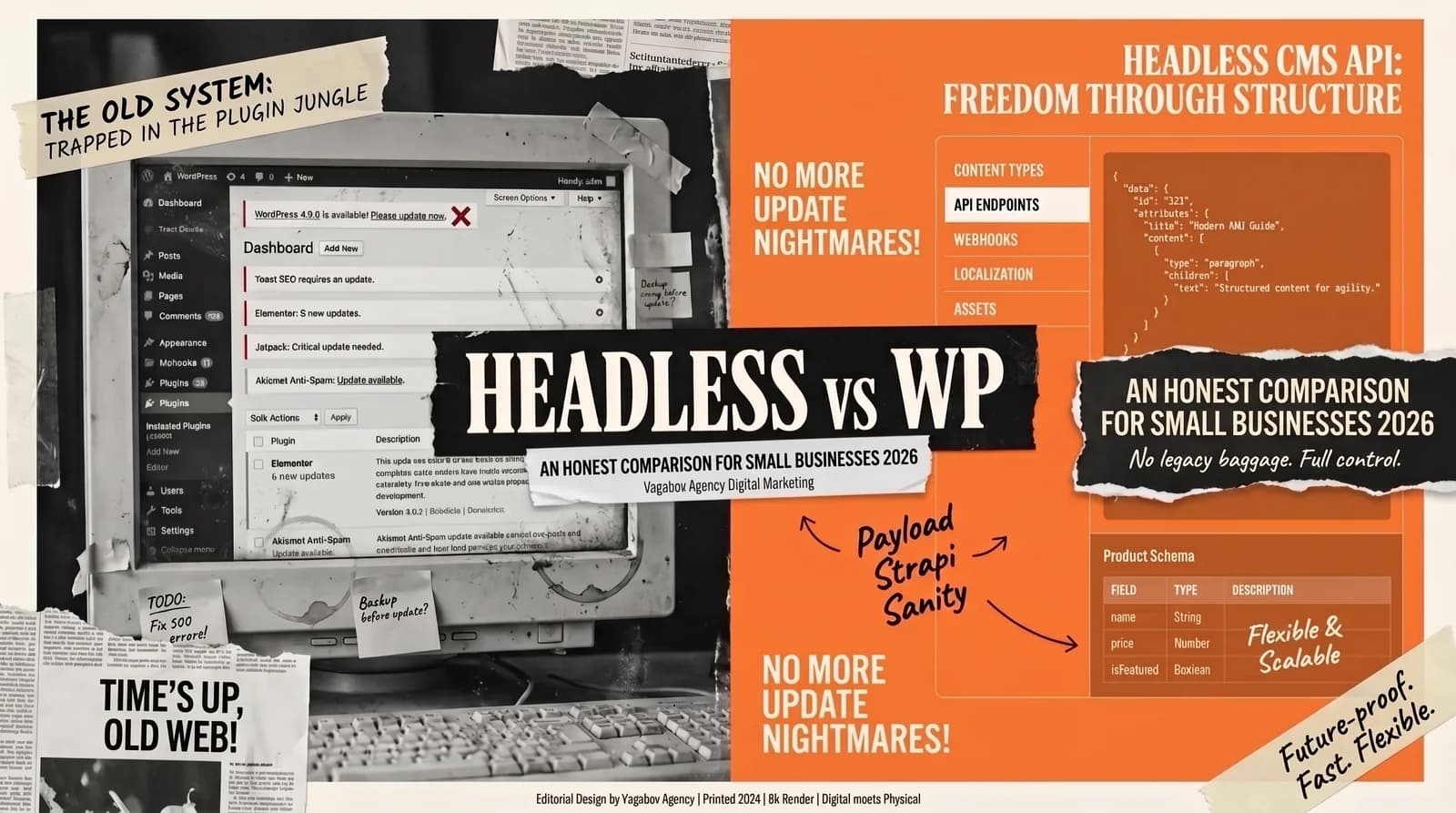
“WordPress has worked fine for years. Why change anything?” It’s a fair question. On the other side are developers who consider WordPress a technical dinosaur and would rather build everything “headless.” The truth lies somewhere in between, and it depends on who maintains your content, how often it changes and what your website needs to do.
For context: we build websites with Next.js ourselves. Even so, WordPress is the better choice for some projects. In this comparison I show when each system fits, what costs come with each, and why some small websites don’t need their own CMS at all.
What does “headless CMS” actually mean?
A headless CMS separates content and presentation. In a classic CMS like WordPress, the backend (where you enter content) and the frontend (what visitors see) are one system. In the headless model there is only the backend, which provides content through interfaces (APIs). The frontend — a website, an app or a screen in a store — fetches that content. The “head,” meaning the presentation layer, has been cut off.
Well-known headless CMSs include Storyblok (from Linz, Austria), Contentful, Strapi and Payload. The frontend is often built with Next.js, the React framework from Vercel. Incidentally, WordPress itself can also run headless: as an editorial system in the background whose content is delivered by a separate frontend.
When WordPress still wins in 2026
WordPress is not a dead horse. According to W3Techs, it runs on more than 40% of all websites. In certain cases it is still the best choice:
- Editing without developers: With the block editor or a page builder, experienced users can build new pages and even layouts themselves. In a headless setup, new layouts usually require a developer.
- Limited budget, standard requirements: A WordPress site with a good off-the-shelf theme can be set up quickly. A headless project with a custom frontend and a connected CMS is usually more work.
- Plugin ecosystem: WooCommerce for online stores, plus plugins for SEO, forms, bookings or multilingual sites — among tens of thousands of plugins, there is a ready-made solution for almost every feature. With headless, much of this would have to be integrated individually.
When a headless CMS is the better choice
Performance: Headless frontends often serve pre-rendered pages, which is usually fast. But a lean WordPress site with good caching can be quick too, and a badly built Next.js project can be slow. The Core Web Vitals feed into Google’s assessment of user experience, but they are only one factor among many. Measure instead of guessing: PageSpeed Insights shows you in a minute where your site stands.
Security: Because WordPress is so widespread, it is also a popular target for automated attacks. Bots scan en masse for login pages such as wp-login.php and for known vulnerabilities, which usually sit in outdated plugins and themes. With headless, the editorial system is separated from the public frontend, so the attack surface is much smaller. But this setup is only secure as long as logins, API keys and packages are kept up to date.
Multiple channels: If your content needs to appear not only on your website but also in an app, on displays or in other systems, headless is the obvious architecture: maintain it once, publish it everywhere.
The truth about costs: what small businesses actually pay
Both camps have a point. “Headless is too expensive” is often true for the build; “WordPress costs more in the long run” is sometimes true for day-to-day operation. Lump sums don’t help you much, because scope and providers vary widely. Ask about these cost items for both options:
| Cost item | WordPress | Headless |
|---|---|---|
| Build | relatively inexpensive with an off-the-shelf theme; a custom design costs more | usually more work, because the frontend is custom-developed and the CMS has to be connected |
| Software | WordPress itself is free; premium themes and plugins often come with an annual license | open-source CMSs like Strapi or Payload with no license fee (but you need a server and maintenance); SaaS CMSs like Storyblok or Contentful with monthly plans, some with a free entry tier |
| Hosting | classic web hosting, from budget plans to managed WordPress | frontend hosting, for example on Vercel, plus hosting for the CMS if needed |
| Maintenance | regular updates for core, themes and plugins | updates for the framework and packages, but fewer moving parts in the public-facing area |
| Changes | much can be done without a developer | content yourself; new layouts and features usually need a developer |
License and hosting prices change often, so check current pricing directly with the provider. And always calculate over at least three years: the build plus 36 months of hosting, licenses and maintenance. Only then will you see which option is cheaper for you.
The third way: do you even need a CMS?
Many small websites change only a few times a year: new opening hours, a new team photo, an additional service. Running, learning and maintaining your own content management system for that isn’t always worth it. The alternative: your service provider handles the changes. In our website subscription (from €129 a month), for example, minor changes to text, images and colors are already included; we quote bigger ones separately.
The decision matrix for small businesses
WordPress is the right fit if
- your team wants to build content and pages itself, without developers,
- you need many standard features such as a store, bookings or multiple languages, and ready-made plugins are good enough,
- someone reliably installs updates,
- the budget for the build is tight.
Headless is the right fit if
- load time and security matter a lot to you,
- your content needs to appear on several channels,
- you want a custom design without theme compromises,
- you work with a developer or an agency anyway.
You can do without your own CMS if your content rarely changes and you would rather hand off changes than make them yourself.
A hybrid solution is also possible: WordPress stays on as the familiar editorial system, for the blog, say, and a Next.js frontend delivers the pages. If you are planning a switch, read the article Migrating from WordPress to Next.js (in German) first.
In the end, what decides is an honest analysis of your business model, not ideology. You can find our website packages here; we’re happy to work out which system suits you in a free initial call.